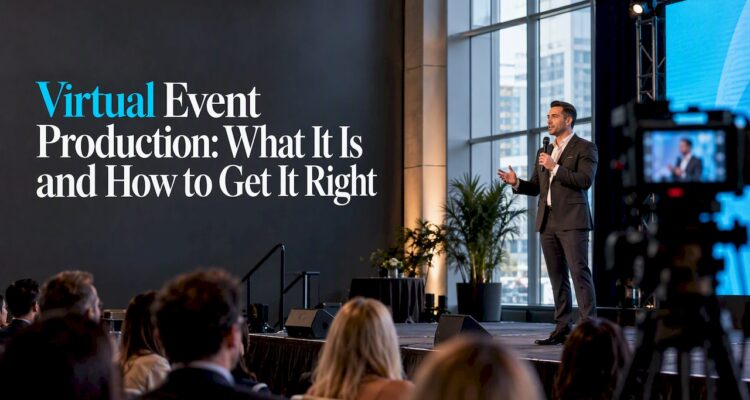
Virtual event production is the planning, technical direction and live execution that turns an online event into a show people want to watch. It covers the platform, the cameras and audio, the run of show, the rehearsals, the entertainment and what happens to the content afterward. A hybrid event adds a second audience in the room, so the same work has to serve two groups at once. This guide explains what the work includes, how to plan it step by step, how to keep remote guests engaged, and when professional production support pays for itself.
TL;DR
- Virtual event production is more than picking a platform. It is pre-production, a managed live show and post-event content, all planned around the online viewer.
- A webinar is one presentation from one source. A produced virtual event usually runs longer, has several sessions and gives guests more ways to take part.
- Hybrid events need two experiences, not a livestream of the room. Design something for the remote audience on purpose.
- Test everything, keep a backup path for internet and audio, and rehearse every speaker before the live date.
- Entertainment is what makes remote guests stay. Music, interaction and a host who works the chat all help.
Table of Contents
- What virtual event production actually means
- Virtual event vs. webinar
- What the production work involves
- The technology you actually need
- A step-by-step plan
- Hybrid event production: two audiences, one show
- Entertainment for virtual events
- When to hire a production team
- Our perspective: the room still matters
- Bringing entertainment and production together
- Common mistakes to avoid
- FAQ
- Sources
What virtual event production actually means
The term gets used loosely, so it helps to define it. Professional bodies treat a digital meeting as a live event produced with a virtual-event platform or collaborative solution. PCMA’s definitions say these can range from a small discussion to a large conference with webcasts and an exhibit hall. That is a wide range, and production is what makes the difference between a call with a camera and an event.
In practice, production means somebody owns the whole audience experience. That includes how the show looks and sounds, how speakers are cued, how questions get answered and how the event ends. A standard video meeting is built for communication. A produced event is built for an audience, which usually means more planning, better audio and video equipment, and a team working behind the scenes.
Live, on demand and simulive
PCMA also separates three delivery styles. Live events happen in real time. On-demand content is available whenever the viewer wants it. Simulive is a pre-recorded session broadcast at a scheduled time, typically followed by a live Q&A. A live event can also be offered on demand afterward.
Simulive is worth knowing about because it lowers risk. A recorded keynote cannot freeze on camera, and the speaker can still answer questions live. Many producers mix all three styles in one agenda.
Virtual event vs. webinar
People search “is a webinar a virtual event?” and the honest answer is that a webinar is the smallest version of one. PCMA describes a webinar as a web-based seminar sent live or on demand, generally from one source to multiple viewers.
Scale is the other big difference. Cvent notes that webinars are usually single presentations of 30 minutes to an hour, while virtual events typically run from a few hours to several days and can include multiple sessions, keynotes, workshops and interactive features.
| Webinar | Produced virtual event | |
|---|---|---|
| Format | One presentation, one source | Multiple sessions, keynotes, workshops |
| Length | Usually 30 to 60 minutes | A few hours to several days |
| Audience role | Mostly watching, with chat and polls | Watching, networking, joining breakouts, visiting virtual rooms |
| Production needs | A presenter, slides and a platform | Run of show, rehearsals, switching, audio and video design, support |
| Entertainment | Rare | Common and often central |
If you are launching a product to a few hundred people with one speaker, a webinar setup may be enough. If you are running a company town hall, a gala, a fundraiser or a conference, you are in virtual event territory.
What the production work involves
The work falls into three phases. Each one has different people and different risks.
Pre-production
This is where most events are won or lost. You define the goal and the audience, then choose a platform that fits the event’s needs rather than the other way around. You build the run of show, which is a minute-by-minute script of who speaks, what plays and who cues what. You also plan graphics, music, speaker prep and a backup plan.
Rehearsal belongs here. Every presenter should test their camera, microphone, lighting and connection in the same setup they will use on the day. Speakers who have never been on a produced stream often need coaching on where to look, how to pace themselves and what to do when something goes wrong.
Live production
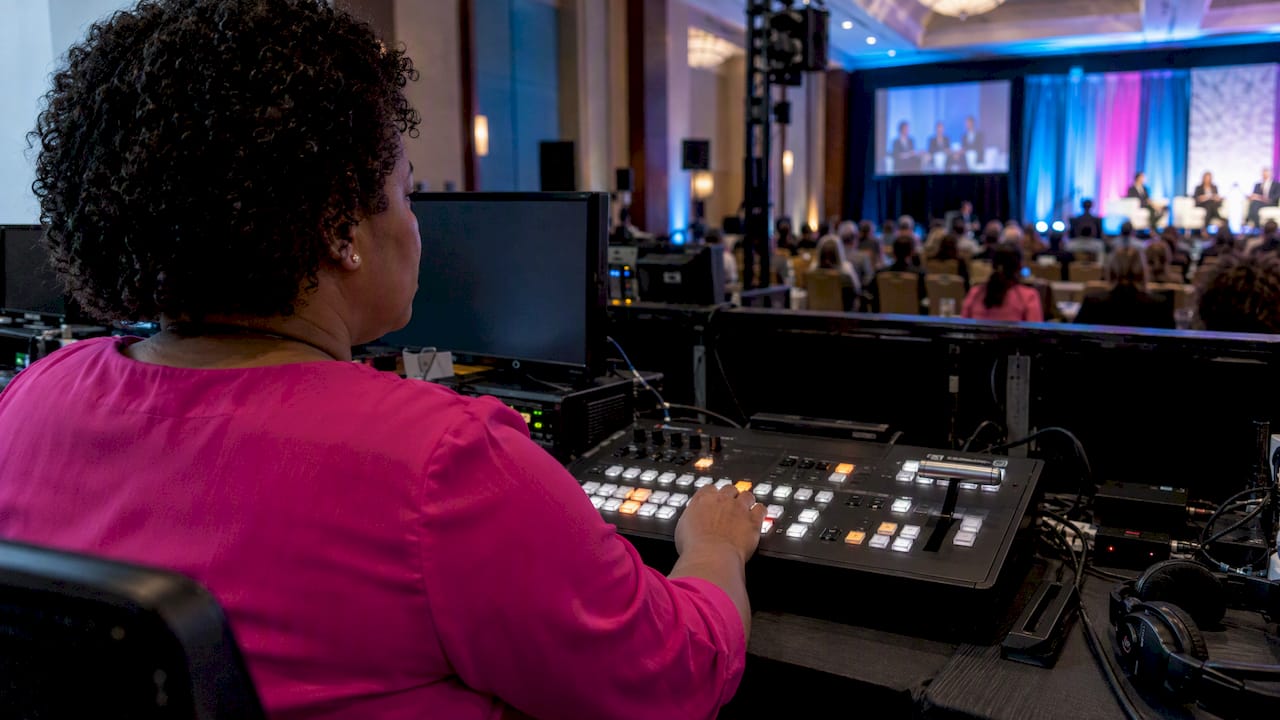
On the day, a production team manages the show. That means switching between cameras and content, managing audio levels, running graphics, cueing speakers, moderating chat and Q&A, and having technical support ready. Someone should also be watching the stream as an attendee sees it, because what the control room sees and what a viewer sees can differ.
Post-production
After the event, recordings can be edited into highlight clips, session replays or on-demand libraries. Analytics tell you who attended, how long they stayed and which sessions held attention. Transcription and captioning can also be added. AVIXA notes that AI tools can automate post-session transcription, live captioning and multilingual translation, which is useful if your audience speaks more than one language.
The technology you actually need
You do not need every tool on the market. AVIXA’s guide to hybrid production lists the essentials: high-quality cameras and microphones, a dedicated high-speed internet connection, and a streaming platform with features such as chat, Q&A, breakout rooms and real-time analytics.
A few practical notes from that baseline:
- Audio comes first. Viewers forgive a soft picture far sooner than muffled or choppy sound. Use proper microphones, not laptop speakers.
- Dedicated bandwidth matters. A stream that shares a network with a hundred guests’ phones is a stream that will stutter. Use a wired connection for the main feed where possible.
- Pick features for your agenda. If you will not run breakout rooms, do not pay for a platform because it has them.
- Plan for a second path. A backup internet connection or a backup encoder is far cheaper than an apology.
Technology is also making professional standards easier to reach. Peter Fitton of Ross Video says in an AVIXA piece on corporate streaming that AI helps smaller events reach production standards that used to belong to large, high-budget broadcasts. Even so, tools do not replace a person who is accountable for the show.
A step-by-step plan
- Set one goal. Decide what success looks like: registrations, leads, funds raised, employee attendance or something else. Everything else follows from this.
- Define the audience. Know where they are, what devices they use, what time zones they live in and how long they will realistically watch.
- Choose the format. Live, simulive, on demand or a mix. Decide whether the event is fully virtual or hybrid.
- Select the platform. Match it to your agenda, audience size, engagement features and any registration or security needs.
- Build the run of show. Include transitions, music, graphics, speaker handoffs and buffer time.
- Rehearse everyone. Do a technical check and a full run-through, ideally on a different day than the event.
- Staff the live show. Assign a director, a technical lead, a moderator and support for speakers and guests.
- Brief the host. A strong host is the glue of any virtual event. They welcome people, explain how to take part and keep the energy up.
- Run, record and measure. Capture the event, then review the analytics and chat feedback.
- Repurpose. Cut highlights and publish sessions on demand while interest is fresh.
Hybrid event production: two audiences, one show
Hybrid events combine a live room with remote viewers, and they are harder than either format alone. The most common mistake is pointing a camera at the stage and calling it a hybrid event. Ben Chodor of Notified advised at IEEE Convene 2021 that organizers should avoid simply live streaming the physical event and should design experiences made for the remote audience.
In practice that can look like:
- A remote host who speaks only to online guests and relays their questions to the room.
- Camera angles and graphics chosen for a small screen, not for someone sitting in row ten.
- Short breaks built into the schedule for online viewers, with their own content during room-only moments.
- Chat and polls that appear on screens in the room, so both audiences feel part of the same event.
The same IEEE panel also suggested that hybrid organizers right-size their events to streamline costs while maximizing the experience for the intended audience. Not every session needs to be streamed, and not every guest needs a seat in the room.
Planning for failure
Connectivity problems and AV glitches are the most common ways hybrid events go wrong. AVIXA’s guidance is to reduce those risks with pre-event testing, backup solutions and on-demand technical support, and to use engagement tools and inclusive content so both in-person and remote attendees take part. Build your test schedule into the plan, not into the last hour before doors open.
Entertainment for virtual events
This is where most guides stop short. A virtual audience is one tab away from leaving, so entertainment is not decoration. It is how you hold attention between the business items.
BizBash’s reporting on booking virtual event performers lists formats that work online: singers, bands, mentalists, aerialists, jazz bands, graphic or sketch artists, cocktail-making sessions and music trivia. It also describes engagement tactics such as song requests, moderated chat, audience participation, Q&A, games like Bingo or Name That Tune, giveaways and performers calling on audience members by name.
A few ideas for turning that into a plan:
- Open with energy. A short musical set before the first speaker gives early arrivals something to do and sets a tone.
- Use music as a transition. A DJ or live musician covering the gaps between sessions keeps the stream from going quiet.
- Let guests drive. Song requests and chat shout-outs make remote guests feel seen.
- Close with a moment. A final performance, a toast or a group game gives people a reason to stay to the end.
Jimmy Hagan of For Good & Company offers a useful test for any interactive element. His AVIXA framework centers on four outcomes: attention, participation, immersion and insight. He also cautions that technology should lower learning barriers, not add them. If a guest needs a tutorial to join in, simplify it.
When to hire a production team
You can run a small internal call yourself. Support starts to make sense when any of these are true:
- Several speakers, locations or time zones are involved.
- The event is high-value: a fundraiser, a product launch, a leadership broadcast or a client-facing conference.
- There is a live room as well as an online audience.
- Your internal team has never run a live stream and cannot afford a failure.
- You want entertainment, branded visuals or recorded content built into the show.
A production team brings experience, equipment and a calm head when something fails. When you talk to one, ask who will direct the show, what the backup plan is for audio and internet, how many rehearsals are included and what you receive after the event.
Our perspective: the room still matters
We have been designing and producing celebrations for over 25 years, and one lesson holds up whether guests are in a ballroom or on a screen: people remember how an event felt, not which tools ran it. A hybrid corporate event, a milestone party with relatives joining from abroad or a gala with a remote audience all depend on the same thing, which is a plan where every detail is intentional.
That is why we think hybrid production should start with the room. The in-person experience is what remote guests are watching, so it has to look and sound like something worth watching. Our production work includes custom LED video walls, intelligent lighting, monogram projection and distinctive stage pieces such as the Piano DJ Booth and Chandelier DJ Booth. These give a camera something striking to capture and give guests in the room a reason to be there. Our in-house photography and videography team also means the visual side of an event is planned by people who already know the design.
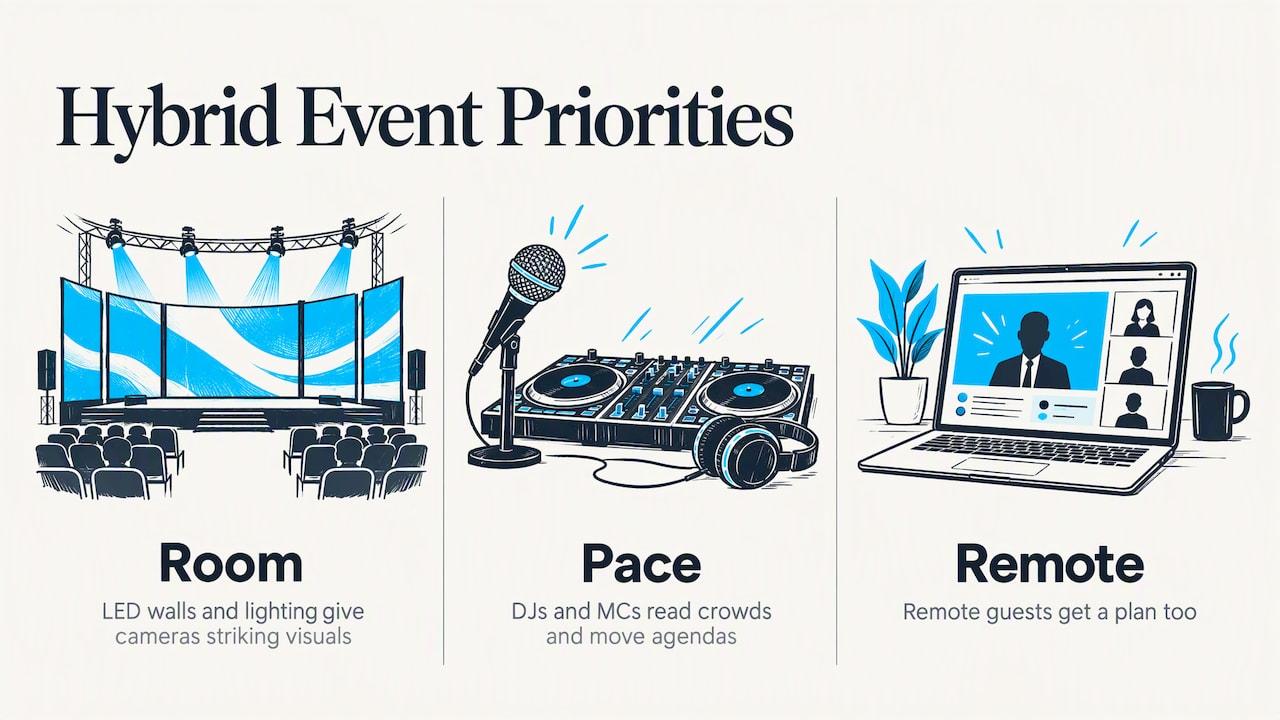
The second lesson is that music and a host set the pace. Our bilingual and international DJs and MCs are used to reading a crowd and moving an agenda along, and those skills carry over to any event where energy is the thing at risk. If your guests speak more than one language, an entertainer who can address them in their own is a real asset.
We do not treat a remote guest as a spectator. We treat them as a guest, which means they get a plan too.
— LJDJS
Bringing entertainment and production together
If you are planning a corporate function, a milestone celebration or a wedding where some guests will join remotely, we can talk through how the in-room production, lighting, video and entertainment fit around that second audience. Our production team designs events to reflect each client’s style and culture, and we serve clients across New Jersey, New York and internationally.
Tell us what your event needs, and we will help you plan the details. Start from our event design and entertainment page or look through the full list of enhancements to see what can be built into your event.
Common mistakes to avoid
- Treating a hybrid event as a livestream. Remote guests need their own content, host and interaction.
- Skipping rehearsals. The speaker who never tested their microphone is the one whose audio fails.
- Overloading the agenda. Online attention is shorter. Break sessions up and give people pauses.
- Choosing tools before goals. Pick the platform last, once you know what the event must do.
- No backup plan. Have a second internet path, a spare microphone and a person who can step in as host.
- Ignoring the replay. The recording is a second product. Plan how it will be edited and shared.
FAQ
What is the difference between virtual and hybrid event production?
Virtual production serves an audience that is entirely online. Hybrid production serves an in-person audience and a remote one at the same time, so it needs two plans: one for the room and one for the screen. Hybrid usually involves more equipment, more staff and tighter coordination.
Is a webinar a virtual event?
A webinar is the simplest kind. It is usually one presentation from one source, often 30 to 60 minutes. A virtual event generally runs longer and includes multiple sessions, interaction and often entertainment.
What kinds of entertainment work for virtual events?
Singers, bands, mentalists, sketch artists, cocktail-making sessions and music trivia are all formats BizBash has reported as suitable. They work best when guests can take part through chat, song requests, games or giveaways instead of just watching.
When should I hire a virtual event production company?
Hire help when the event has several speakers, a live audience as well as an online one, or a lot riding on it, such as a launch, fundraiser or leadership broadcast. Ask who will direct the show, what the backup plan is and how rehearsals are handled.
How do I prevent technical problems on the day?
Test every speaker’s setup in advance, use a dedicated internet connection, and keep backup equipment and technical support on hand. AVIXA recommends pre-event testing and backup solutions for exactly this reason.
Sources
- PCMA, Definitions: So What Is a Digital Event?
- Cvent, The Difference Between a Virtual Event and a Webinar
- AVIXA, Hybrid Event Production: A Comprehensive Guide
- AVIXA, Optimizing Streamer Setups for Corporate Broadcast
- AVIXA, Interactive Technology and Live Events: A Framework for Engagement
- IEEE, The Future of Face-to-Face Events at IEEE Convene 2021
- BizBash, Best Practices for Booking a Virtual Event Performer