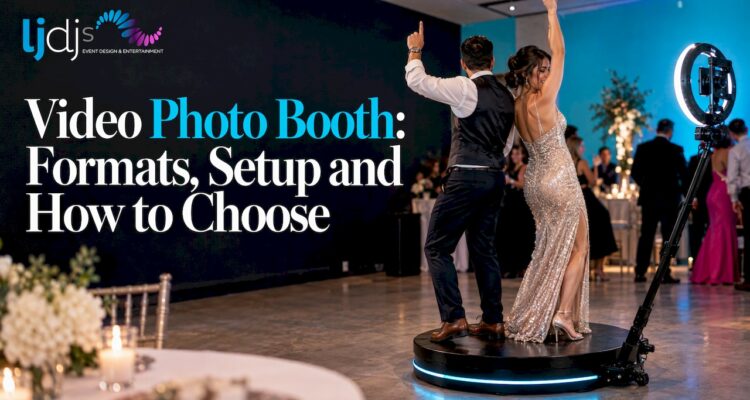
A video photo booth records short clips of your guests instead of, or alongside, still photos. Guests step in, hit start, and walk away with a moving keepsake they can share from their phones. The best results come when the booth is planned as part of the event’s entertainment and design, not dropped in as a standalone rental. That is how we approach it at LJDJS, where classic and video testimonial photo booths sit next to DJ, MC, lighting and in-house photography and videography, all planned together for weddings, corporate functions and milestone parties in New Jersey, New York and beyond.
This guide explains what a video booth is, the formats you will see, how guests actually use one, what space and power it needs, and how to match it to your event.
TL;DR
- A video photo booth captures moving clips, not just stills. The main formats are a enclosed or open-air booth with a screen, a testimonial booth for spoken messages, and a 360-degree platform.
- Guests start the recording on a touchscreen, preview it, retake it if they like, and receive the clip on their phone.
- Plan floor space, a dedicated power source, secured cables and lighting before the day, and confirm what your venue allows.
- Tell guests that filming is happening. Clear signage is a simple, respectful way to handle consent.
- The booth works best when it matches the event: a message-driven booth for corporate and milestone events, a high-energy motion booth for dance-floor weddings.
Table of Contents
- What a video photo booth is
- The formats you will see
- How guests use a video booth
- Personalizing the booth and the clips
- Which events suit a video booth
- Planning space, power and lighting
- Guest privacy and consent
- How to choose a booth for your event
- Why we plan it with the whole event
- Book the booth with the rest of your entertainment
- FAQ
- Sources
What a video photo booth is
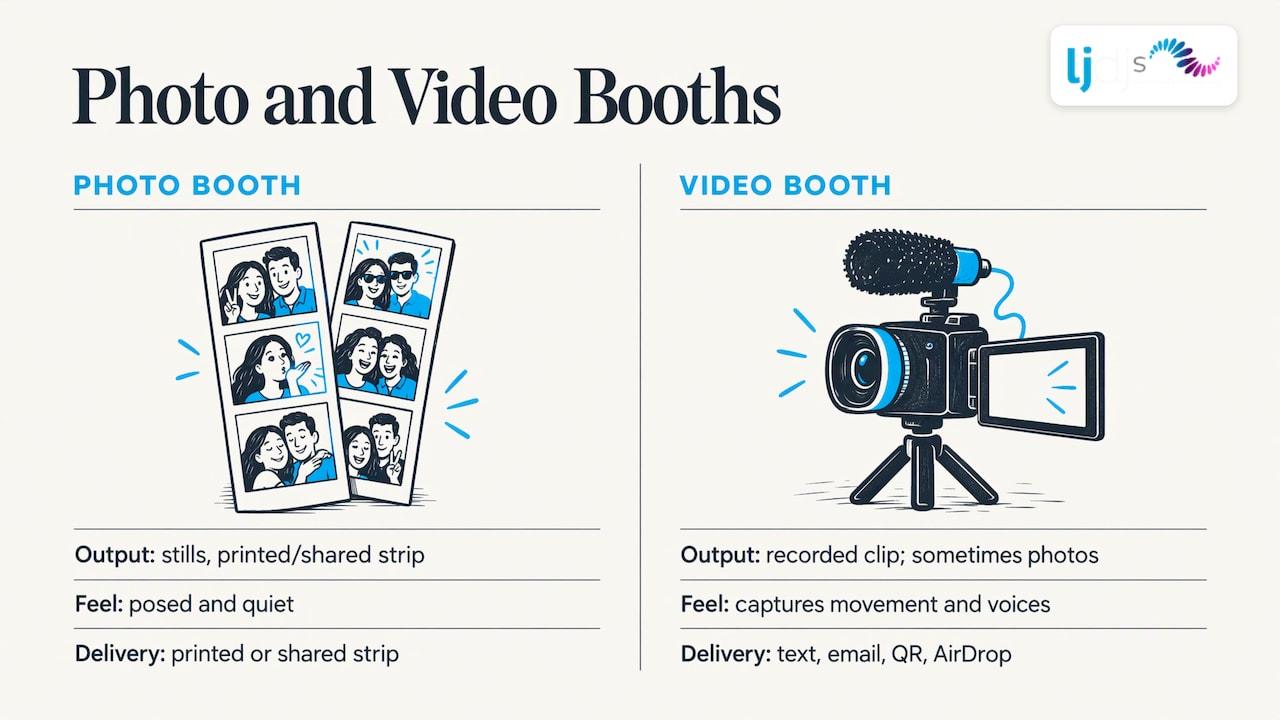
A standard photo booth takes a burst of stills and prints or shares a strip. A video photo booth records a clip. Some booths do both, so guests can choose between a photo and a short video.
The difference matters for how the booth feels at your event. Stills are posed and quiet. Video captures laughing, dancing, talking and the half-second before someone breaks into a grin. A video clip also carries sound, which is why couples and hosts often want a booth that records the voices of the people they love.
The most recognizable video format is the 360-degree booth. Guests stand on a circular platform while a camera on a rotating arm moves around them. The software then turns the footage into a polished clip, often with slow motion, effects, music and a branded overlay, and delivers it by text, email, QR code or AirDrop, as one booth software maker describes it. The camera and platform are only half of the picture; the software and the operator decide how every clip looks and gets shared.
The formats you will see
When you search for a video booth, you will meet three broad types. Each fits a different kind of moment.
Booth with a touchscreen and recording mode
This is the familiar photo booth, enclosed or open-air, with a screen that lets guests choose between stills, GIF-style loops or a video message. It suits cocktail hours, lobbies and lounge areas where guests will wait their turn and take their time.
Video testimonial booth
A testimonial booth is built for words rather than motion. Guests step up, record a message for the couple, the honoree or the company, and the clips are collected afterward. For a wedding, it becomes a video guest book. For a corporate event, it becomes a bank of real customer or employee stories. We cover the idea in more depth in our guide to the video testimonial booth, including prompts that get people to say something real instead of freezing.
360-degree video booth
The 360 booth is the high-energy option. Guests step onto the platform in groups, strike a pose or dance, and the camera circles them. It works best where there is room, music and a crowd to cheer: a dance-floor corner at a wedding, a Sweet 16, a Quinceañera or a Bar/Bat Mitzvah. Because it needs open floor space and good light, it needs more planning than a compact booth.
How guests use a video booth
A good booth gets out of the guest’s way. In a touchscreen workflow, the guest taps to start, sees a countdown, records, previews the result and can retake it if they do not like it. After approving it, the clip is delivered to their phone, a flow booth-software vendors describe for touchscreen-first booths.
That preview-and-retake step is what makes shy guests willing to try. Nobody wants to be stuck with a clip they dislike, and nobody wants to hold up a line while they figure out the buttons.
Sharing is the second half of the experience. Common delivery options include text message, email, and a QR code that opens either one clip or the event’s full gallery. Each has a trade-off:
| Delivery method | Best for | Watch out for |
|---|---|---|
| Text message | Instant sharing at the party | Guests must type their number correctly |
| Older guests, corporate events | Slower, may land in spam | |
| QR code to a single clip | Fast, no typing | Guest needs a camera-ready phone |
| QR code to the full gallery | Wedding keepsake, branded events | Plan how long the gallery stays online |
Personalizing the booth and the clips
The booth is more memorable when it looks like your event. Hosts typically customize a few things in advance:
- A branded overlay or frame. For a wedding, that might be a monogram and date. For a company, a logo and campaign line.
- Filters and effects. Pick one or two that fit the mood instead of offering every option.
- Music and slow motion. Music that matches the event makes a clip feel finished.
- Hashtags and sharing options. Useful for corporate events and launches where you want guests to post.
Customization pairs naturally with the rest of your event design. If your reception already uses a monogram, monogram lighting can echo the same design near the booth, so the area looks intentional in photos and video.
Which events suit a video booth
Video booths work almost anywhere guests mingle, but the format you pick should follow the event.
Weddings. A video booth gives couples messages and movement they cannot get from the formal photo set. A testimonial-style booth makes a keepsake of toasts you will never hear in full, while a 360 platform gives the dance floor a second attraction. Our wedding entertainment work plans the booth around the DJ, MC and lighting so the booth does not compete with the dance floor.
Corporate events. Brand overlays, hashtags and gallery sharing make a booth a content engine. Testimonial recording turns an event into usable material about your people or product. For planners comparing options, our guide to corporate event design shows where a booth fits in the overall experience. If you need rental-only options in the tri-state area, there are also corporate photo booth rentals with branded mirror and 360 setups.
Milestone celebrations. Sweet 16s, Quinceañeras and Bar/Bat Mitzvahs are built on energy and a crowd of friends who love to perform for a camera. A motion-forward booth fits, and a message booth lets relatives record wishes the honoree can keep. See our pages on Sweet 16 and Quinceañera and Bar/Bat Mitzvah production.
Planning space, power and lighting
Most booth problems at events are logistics, not equipment. Settle these before the day.
- Floor space. A 360 platform needs open room all around it, because guests step on, off and wave to the crowd, and the arm sweeps a circle. Enclosed and open-air booths need space for the booth itself, a short queue and a place for props if you use them. Ask your venue for a floor plan and mark the spot early.
- Placement and guest flow. Put the booth where people naturally pass but away from the bar line, the entrance and the dance-floor speakers. A booth next to the DJ speakers makes it hard for guests to record clear audio.
- Power. Use a dedicated outlet where possible and keep the booth off circuits shared with heavy equipment. Venue and exhibition rules give a sense of the standard: one U.S. exhibitor manual calls for 3-wire, 14-gauge minimum, UL-rated extension cords and says electrical fixtures must not be covered.
- Cables. Tape down or cover every cable that crosses a walkway. A trip hazard in a crowd of guests in formal shoes is the easiest problem to prevent.
- Lighting. Video is less forgiving than stills. Dim reception lighting and moving intelligent lights can leave faces dark or washed out. The same manual says lighting must be directed within the booth’s own space, and that lasers or UV lighting need written approval from show management. Event venues have their own rules on special effects, so ask your venue what it permits before you add effects near the booth.
- Arrival time and testing. Plan for setup well before guests arrive so lighting, sound and sharing can be tested while the room is empty.
- Staffing. An attendant who greets guests, keeps the line moving and fixes a failed send keeps the booth fun. Without one, guests wait or give up.
When the booth, the lighting and the sound all come from one team, these items stop being separate conversations. We plan production, lighting and entertainment together, so the booth is placed with the dance floor, uplighting and video wall in mind.
Guest privacy and consent
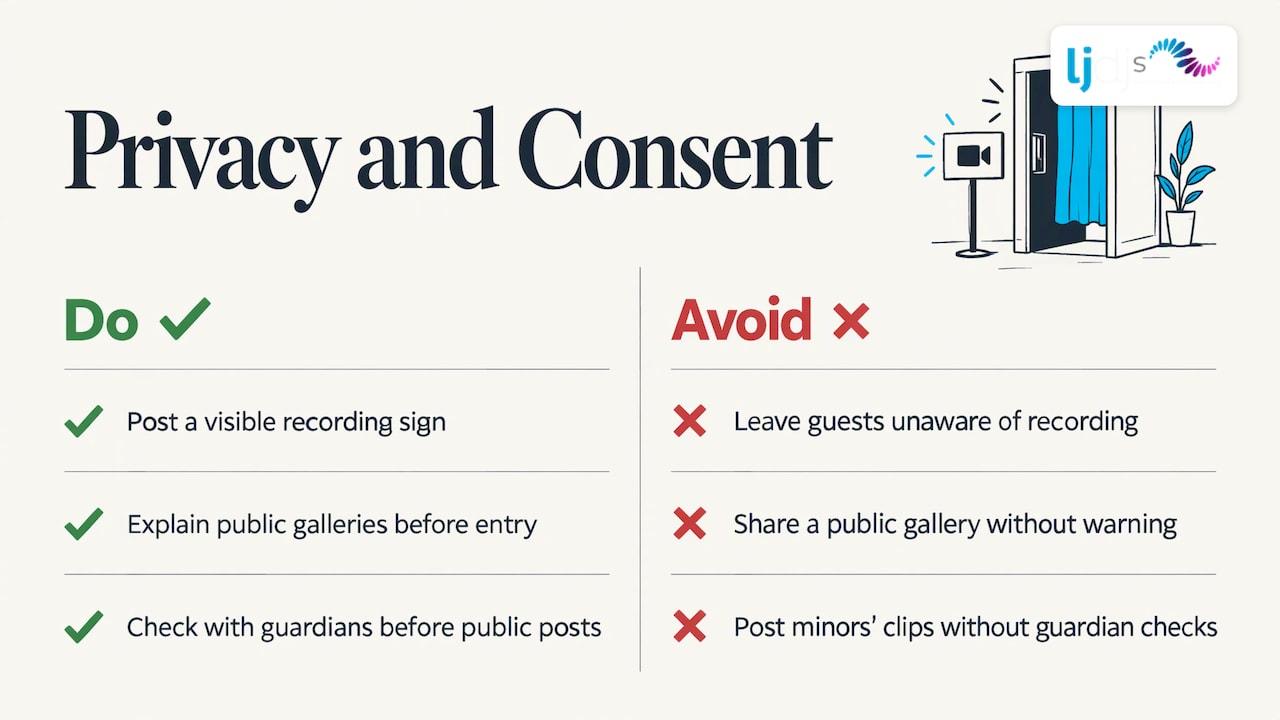
A booth that records video and sound is recording people, so say so. A visible sign near the booth explaining that clips are recorded, and how they will be shared, is a simple courtesy. If a gallery is public, tell guests before they step in.
There is a useful model in how institutions handle it. One state agency, for example, tells attendees that entering its events counts as consent to photography, filming and recording, and asks anyone who disagrees not to enter. A private party is a different setting, so keep it simple: announce it on invitations or signage for corporate events, and let guests opt out by skipping the booth.
For events where minors attend, such as Sweet 16s and Bar/Bat Mitzvahs, check with parents or guardians about posting clips publicly. If you have legal questions about recording at a corporate event or in a workplace, ask your company’s counsel.
How to choose a booth for your event
Start with the outcome you want, then pick the format.
- You want messages to keep: a testimonial booth, with two or three prompts on the screen.
- You want a dance-floor attraction: a 360 booth, placed beside the dance floor with room around it.
- You want branded content: a touchscreen booth with an overlay, hashtag and gallery link.
- You want both stills and clips: a booth that offers photo and video modes, so guests choose.
Then check the practical points: how long the booth will run, who staffs it, how clips are delivered, how long the gallery stays up, and whether the booth team coordinates with your DJ and lighting. The last one decides whether the booth looks like part of the night or a separate attraction.
Why we plan it with the whole event
Over the years, we have seen a pattern at celebrations: guests remember the moments that feel designed for them. A video booth is one of the clearest ways to do that, because it hands people a piece of the night to keep.
We do not treat the booth as a standalone item. We offer classic and video testimonial photo booths alongside DJ and MC entertainment, LED video walls, intelligent and wireless lighting, monogram projection, in-house photography and videography, and live musicians and specialty acts. That lets us plan where the booth sits, how it is lit, and when your DJ points guests toward it, as one design.
Our approach is personalized. A wedding with a bilingual crowd, a corporate launch and a Quinceañera need different things from a booth, and we shape the event around the style and culture of the people hosting it.
LJDJS
Book the booth with the rest of your entertainment
If you are planning a wedding, corporate function or milestone party in New Jersey or New York, we can build the booth into your entertainment and design plan. Our team offers classic and video testimonial photo booths, in-house photography and videography, LED video walls and lighting, so the pieces are planned together.
Tell us about your event and the style you have in mind through our event design and entertainment page, or look at our photography and videography services to see how video fits into the day.
FAQ
What is the difference between a photo booth and a video photo booth?
A photo booth takes still pictures, usually a short strip or a single shot. A video photo booth records a moving clip, often with sound, and delivers it to the guest’s phone. Many booths offer both, so guests can choose.
Do guests need an app to get their video?
Typically no. Booths commonly deliver clips by text message, email or a QR code that opens the clip or a full event gallery. Guests only need their phone, which is why the sharing method matters more than any app.
How much space does a 360 video booth need?
More than a standard booth. The platform and the rotating camera arm need open floor on every side, plus room for guests to step on and off. Ask your venue for the floor plan and mark the spot well before the event.
Is a video booth good for a wedding?
Yes. A testimonial-style booth collects spoken messages for the couple, and a motion booth gives guests something to do on the dance floor. Planning it with your DJ and lighting keeps it part of the celebration instead of a side attraction.
Should I tell guests they are being recorded?
Yes. A sign near the booth that says clips are recorded and how they will be shared is a simple courtesy. If minors attend, check with parents or guardians before posting clips publicly.
Sources
- Exhibitor Service Manual, LightFair 2023
- Consent to Photography, Audio, and Video Recording, Maryland Department of Labor
- 360 Photo Booth Software overview, Snappic
- Video Photo Booth for Social Sharing, Simple Booth