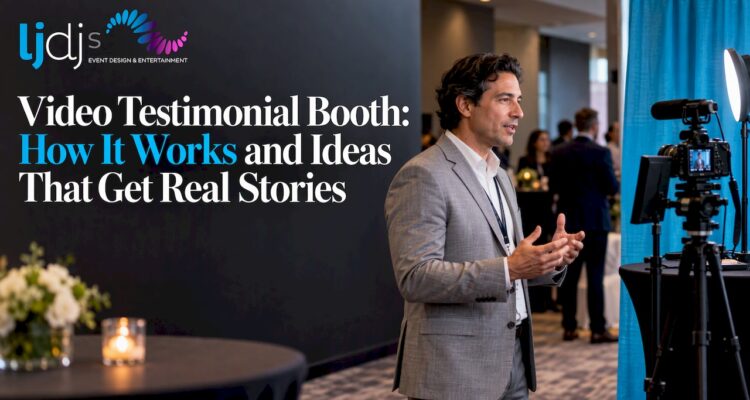
A video testimonial booth is a small, semi-private recording station at your event where one guest at a time steps up, answers a prompt on camera and leaves a short clip. At a wedding, those clips become toasts and well-wishes you will rewatch for decades. At a corporate event, they become authentic attendee feedback you can reuse in marketing. The booth works when four things are right: the location, the lighting and sound, the prompts and the consent. This guide covers each one.
TL;DR
- A video testimonial booth records short, guided clips from individual guests, so you get candid messages and feedback instead of a few forced speeches.
- Quality comes from soft, even light, clean audio, a quiet corner and two or three simple questions, not from expensive gear.
- Tell guests before recording where clips go and who can see them, and get consent if you plan to reuse them publicly.
- Weddings suit a video guest book style booth. Corporate events suit branded prompts tied to one question.
- We build booths like this into full event design, with in-house photography, videography and entertainment under one team.
Table of Contents
- What a video testimonial booth is and how it works
- Why video testimonials beat a written guest book
- Video testimonial booth ideas for weddings
- Event video testimonials for corporate events
- How to get guests to record natural clips
- Setup and equipment for clear, usable recordings
- Consent, privacy and sharing
- Our perspective
- Plan your booth with LJDJS
- Quick planning checklist
- FAQ
- Sources
What a video testimonial booth is and how it works
Think of it as a guest book that talks back. A camera, a screen or prompt card, a microphone and a controlled light source sit in a corner, a nook or a small enclosed space. A guest walks in, presses start, reads or hears a prompt, records for 30 to 90 seconds and walks out. The clip is saved for you to download, edit and share.
You will hear several names for the same idea: video guest book, confessional booth, video message booth or testimonial station. What separates them from a regular photo booth is the goal. A photo booth produces a fun keepsake for the guest. A testimonial booth produces content for the host.
There are three common formats:
- Attended station. A host or operator welcomes guests, explains the prompt and starts the recording. Best for corporate events where you want a steady flow of on-topic answers.
- Self-serve booth. A guided screen walks each guest through the steps. Best for weddings and long receptions, where guests wander over between dances.
- Interview corner. Two chairs, a camera on a tripod and a person asking questions. Best for deeper stories, such as a milestone birthday or an anniversary tribute.
At larger events, the booth often connects to a branded app or software that guides the guest and organizes the files. National Grid, for example, used a custom-branded app in a video booth at trade shows and events to collect client feedback and video testimonials.
Why video testimonials beat a written guest book
A written note says “Congratulations, so happy for you.” A 45-second clip shows the face, voice, laugh and inside joke behind it. For a host, that difference is the whole point.
- For couples: you keep the voices of grandparents, college friends and cousins as they sounded that night.
- For brands: a real attendee describing a real experience carries more weight than copy written by the marketing team.
- For families: a Sweet 16, Quinceañera or Bar/Bat Mitzvah becomes a time capsule of the people who showed up.
- For planners: the booth gives guests a low-pressure activity and gives clients content they can use after the event.
Video testimonial booth ideas for weddings
Wedding guests are rarely shy at the reception, but many freeze when a camera is pointed at them. The ideas below give them something to say.
Give every guest a job
Skip “say something nice.” Print a small card by the booth with three prompts, for example:
- Your favorite memory with the couple.
- One piece of marriage advice in 20 seconds.
- A wish for their first year, or their first 10 years.
Guests who are unsure what to say will pick one and go.
Make it a time capsule
Ask guests to speak directly to the couple on their fifth or tenth anniversary. Clips can be saved and opened on that date. It turns a booth into a tradition rather than a novelty.
Match the booth to the room
A booth should look like it belongs to your celebration, not like a rental unit parked against a wall. Use the same florals, drape, signage or monogram as the rest of the room. Our team often pairs this with monogram and gobo lighting so the booth corner carries the couple’s initials on the wall behind the guest.
Offer a bilingual option
If your families speak more than one language, put the prompts in both. Many guests give their warmest message in the language they grew up with, and those are often the clips couples treasure most.
Schedule it for the right moment
Open the booth during cocktail hour, when guests are relaxed and waiting. Keep it open through dinner. A DJ or MC can announce it once or twice, but the booth should not compete with the first dance or toasts. Late in the night the clips tend to get looser and funnier, so leaving it open has its own value.
Event video testimonials for corporate events
Corporate booths have a different job: capture usable, on-message stories from attendees, clients and employees. The difference between a pile of footage and a useful library is planning.
Choose one question per event
Rocket Mortgage’s Super Bowl Experience asked guests a single question about what it means to be a great neighbor, and tied the short video answers to guest engagement profiles. The lesson is that one clear prompt produces clips that fit together.
Good corporate prompts:
- What was the most useful thing you learned today?
- How has our product or service changed the way you work?
- What would you tell a colleague who is thinking about attending next year?
Plan the output before the event
Decide how the clips will be used: social posts, a recap video, a sales deck, an internal newsletter. A production company covering a two-day Las Vegas conference reports producing 20 testimonial videos alongside same-day recaps and a full-event recap, which shows how one event can feed both internal and external content.
Put the booth where the traffic is
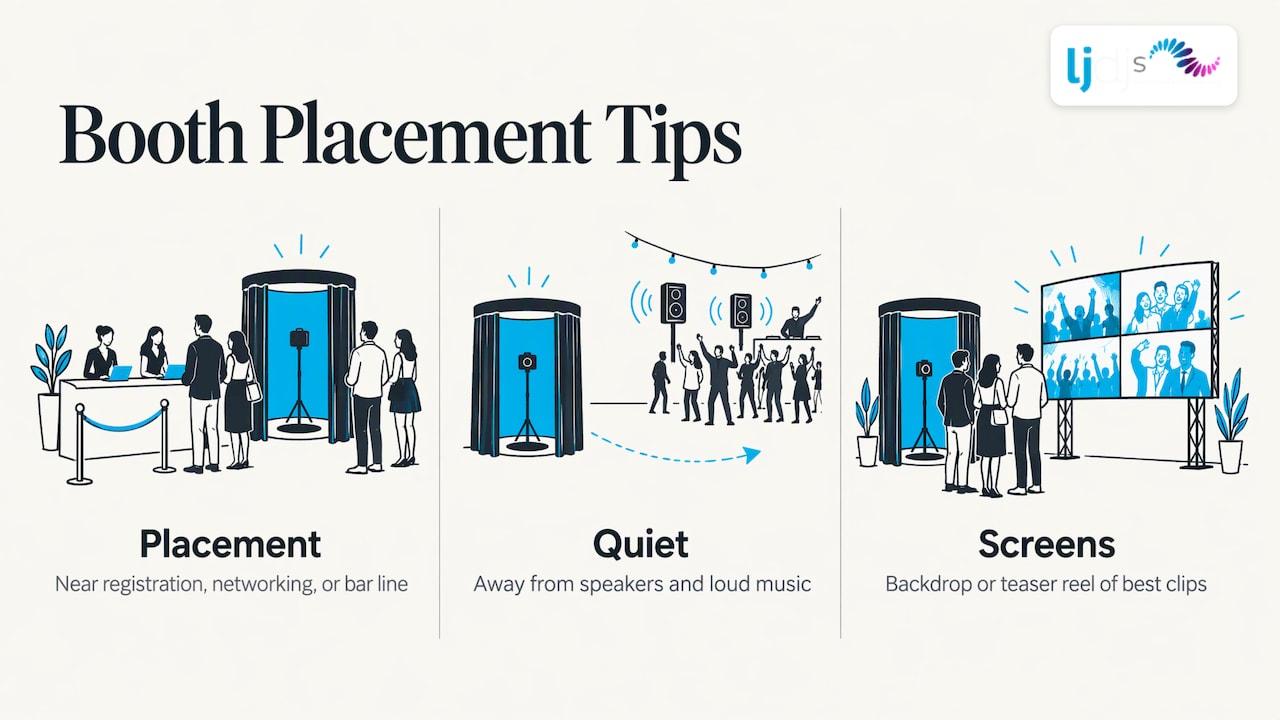
Place it near registration, the networking area or the bar line, but away from speakers and loud music. If you have an LED video wall or branded signage, use it as the backdrop or as a teaser reel that plays the best clips on a loop. Seeing earlier guests on screen encourages others to step in. For corporate events we cover this kind of planning in our corporate event production guide, and screens are covered on our LED video wall rental cost page.
How to get guests to record natural clips
Most guests are willing. They just need a reason to start and a clear end.
- Make the first step obvious. One big button or one friendly attendant. Never a menu.
- Keep clips short. Tell guests they have 30 to 60 seconds. A short limit feels easier than an open-ended one.
- Show a sample. A looping example clip on a nearby screen answers “what do I say?” before anyone asks.
- Give them a prop or a prompt card. A sign, a pen, a champagne glass. Something to hold calms the hands.
- Let friends go in together. Groups are more natural than solo guests, and many people only record when a friend does.
- Have the MC or DJ mention it. A warm, brief announcement from the person already holding the room’s attention does more than any sign.
- Allow retakes. Guests relax when they know they can try again.
For an attended booth, the person welcoming guests matters more than the equipment. They should be warm, brief and able to read when someone needs a nudge and when they need to be left alone.
Setup and equipment for clear, usable recordings
Bad light and bad sound ruin more testimonial clips than shy guests do. The fixes are simple.
Light the face, not the room
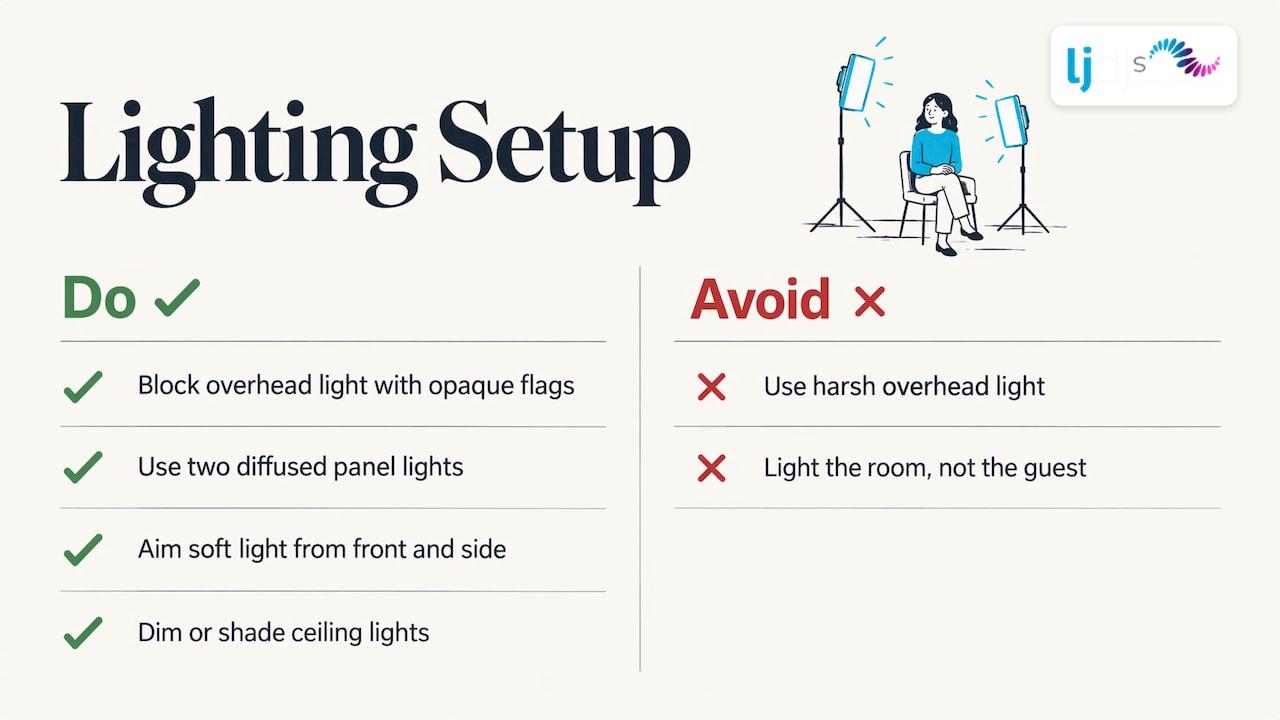
Harsh overhead light creates shadows under the eyes. Videographer Larry Jordan’s trade-show interview setup blocked overhead light with opaque flags and used two diffused panel lights, with comfortable chairs and a high table. You can apply the same principle at any event: soft light from the front and side, aimed at the guest, with the ceiling lights dimmed or shaded.
Keep audio clean
- Put the booth away from the dance floor, speakers and the bar.
- Use a drape, a partition or an enclosed booth to cut room noise.
- Place the microphone close to the guest, not across the room.
- Do a test clip with the music playing before guests arrive.
Frame it for reuse
- Record horizontally if the clips will go in a recap video, vertically if they are mainly for social media. Decide in advance, or capture both.
- Keep the background simple: a plain wall, a branded panel or a soft-lit drape.
- Put the camera at eye level. A camera that looks up or down is unflattering for nearly everyone.
- Mark a spot on the floor or chair so guests sit in the same place and the framing stays consistent.
Back up everything
Use a booth that saves locally and uploads when possible, and have someone check the first few clips at the start of the event. A broken microphone found at 7 p.m. is a minor fix. Found at midnight, it is a lost evening.
Consent, privacy and sharing
A guest who steps in to say hello to the bride has not necessarily agreed to appear in your company’s ad. Spell out what happens to the clip before recording begins.
- Tell guests the purpose. A short sign or on-screen line explaining where submissions go, who can see them and how they may be reused is a practice recommended by event content specialists. For private events, that advice includes consent, moderation before anything goes on a gallery or slideshow, and avoiding public hashtags for invite-only gatherings.
- Use an on-screen agreement. Some booth software can show a disclaimer before recording. In one platform, if a guest does not agree, the session is canceled and captured photos are deleted. The same help page lists gallery controls such as passwords, guest access, link sharing and download permissions.
- Get signed releases for marketing use. Larry Jordan collected signed release forms and noted that formal permission helps when videos are posted online. If your clips are going to a website, ad or sales deck, a written release is the clean route. Ask your own attorney or legal team what your use requires.
- Keep only what you need. Decide in advance who holds the files, how long you will keep them and who can download them.
For a deeper look at notices, access controls and moderation in booth setups, see how smart event booths work.
At a wedding, the practical version is easy: a sign by the booth saying clips go to the couple only, unless the couple chooses otherwise. At a corporate event, the sign should say the clips may be used in company marketing, with a release to sign on the spot.
Our perspective
We have been designing and producing celebrations for over 25 years, and the pattern is consistent: the moments guests remember are the ones where they took part, not just watched. A video testimonial booth is one of the simplest ways to make that happen.
The booth is most valuable when it is designed with the event rather than added on top of it. The backdrop should echo the room. The prompts should sound like the hosts. The booth should be placed where the energy is, and the DJ or MC should invite guests in at the right time. That is why we treat it as part of the overall design, together with lighting, LED video walls, our Piano and Chandelier DJ Booths and in-house photography and videography.
Because our team works across weddings, corporate functions, Sweet 16s, Quinceañeras and Bar/Bat Mitzvahs, and offers bilingual and international DJs and MCs, we tailor the tone of the booth to the culture and language of the people in the room. A clip in a grandmother’s first language is worth more than a polished one in a second.
LJDJS
Plan your booth with LJDJS
We offer classic and video testimonial photo booths as part of our event enhancements, alongside in-house photography and videography, intelligent lighting, LED video walls and live entertainment. One team plans the booth, the room and the music so everything works together, for New Jersey and New York events and for events further afield.
If you are planning a wedding, a milestone party or a corporate event and want a testimonial booth that fits your style, start with our event design and entertainment team. You can also browse the full list of enhancements to see what can sit around the booth.
Quick planning checklist
| Decision | Wedding | Corporate event |
|---|---|---|
| Main goal | Keepsake messages for the couple | Usable attendee stories and feedback |
| Best format | Self-serve video guest book | Attended station or interview corner |
| Prompts | Memory, advice, wish | One question tied to the event theme |
| Clip length | 30 to 90 seconds | 30 to 60 seconds |
| Placement | Near cocktail hour, away from the dance floor | Near registration or networking, away from stage |
| Consent | Sign saying who sees the clips | Signed release for marketing use |
| Output | Full set delivered to the couple | Edited reel plus individual clips |
FAQ
How long should each video testimonial be?
Aim for 30 to 60 seconds for most events, and up to 90 seconds at a wedding. Short limits feel easier to guests and make the clips simpler to edit into a recap.
Do I need a professional to run the booth?
A self-serve booth can run on its own, but a host who greets guests, checks audio and keeps the area tidy produces better footage. For corporate events with marketing goals, an attended booth is the safer choice.
Where should the booth go at a wedding?
Place it in a quiet corner near the cocktail area or lounge, away from the dance floor and speakers. Guests can drift over during cocktail hour or dinner without missing key moments.
Can I use the clips in marketing?
Only if guests have agreed. Tell them how clips will be used before recording, and collect signed releases for anything that will appear online or in ads. Check specific requirements with your own legal counsel.
Sources
- National Grid Case Study | Boast
- How Rocket Mortgage Won NFL Fans: Brand Activation Example
- HighRadius Event Video Case Study | Cerious Productions
- How We Recorded Our 2025 NAB Show Interviews | Larry Jordan
- How to Collect UGC at Private Events | Gather Shot
- LumaBooth Dashboard: Create a new event
Pingback: Video Photo Booth: Formats, Setup and How to Choose – LJDJs Event Design & Entertainment
Pingback: Corporate Event Videography: Plan It, Film It, Use It – LJDJs Event Design & Entertainment