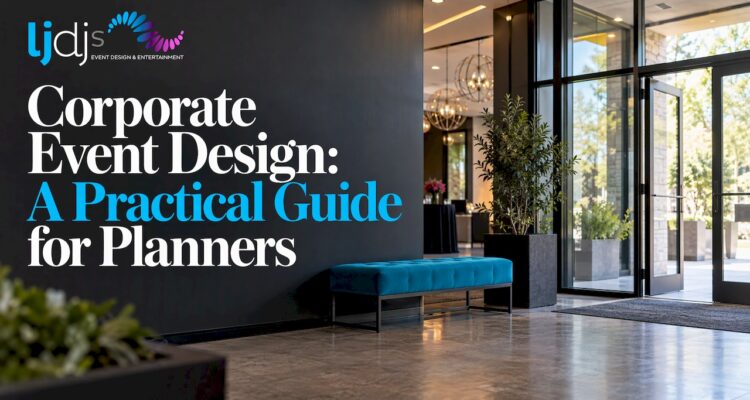
Corporate event design is the work of shaping everything guests see, hear and do at your event so it supports one business goal and one brand story. That means the space, lighting, signage, screens, sound, programming and entertainment are planned together, not booked one vendor at a time. The sections below show how to decide what to design, how to express your brand, and how to make the room work for your audience, venue and budget.
TL;DR
- Start with the audience and the business objective. Every design choice, from color to stage layout, should serve them.
- Treat the event as one coherent world: signage, lighting, décor, staff styling and entertainment should all carry the same story.
- Design the guest journey from arrival to exit, with interactive moments placed where people naturally pause.
- Plan the floor, sightlines, AV and load-in before you choose décor. A beautiful idea that cannot be seen or heard fails.
- Bring production and entertainment into the design conversation early, so lighting, screens and music are built into the concept.
Table of Contents
- What corporate event design actually includes
- Start with the goal, the audience and the story
- Make the brand visible without shouting
- Design the guest journey, not just the room
- How lighting, signage, décor and interactive features work together
- Use screens and visual media as storytelling tools
- Plan for the venue, the audience and the budget
- A simple process from brief to show day
- Our perspective: design and entertainment belong together
- Design and entertainment from one team
- FAQ
- Sources
What corporate event design actually includes
Many planners think of design as decoration. It is broader than that. Eventbrite’s event design guide names seven practical elements: space, lines, forms, light, color, texture and pattern. Each is a sensory tool, and each should support the event’s goal and appeal to the people attending.
In a corporate setting, design also covers what guests do. IBM’s event design foundation lists programming as a core area, including activations, software demos, networking spaces, presentation zones and executive meeting areas, all driven by audience type and business objectives. So a corporate design brief usually touches:
- Space and flow: floor plan, seating, circulation, registration, stage, lounges and breakout areas.
- Brand expression: logo treatment, color, typography, environmental graphics and signage.
- Atmosphere: lighting, sound, scent, temperature, textures and décor.
- Visual media: LED video walls, screens, projection and content.
- Experience: keynotes, networking formats, activations, photo moments, music, MCs and live acts.
- Documentation: photography and video that capture the event for internal and external use.
The point of listing them is that they interact. A dark room with strong uplighting reads very differently from the same room under flat house lights, and a stage with a large LED wall demands different seating angles than one with a simple backdrop.
Start with the goal, the audience and the story
Design decisions are easy to make badly when nobody has written down what the event is for. Before you look at a single mood board, answer three questions in a sentence each:
- What should guests think, feel or do afterward? Buy, join, renew, celebrate, understand a strategy, feel valued.
- Who are they? Executives, sales partners, new hires, clients, a mix. Their expectations of formality, energy and interaction differ.
- What is the narrative? A theme or through-line that can be repeated in every element.
IBM’s guidance puts the audience, the event narrative and strategy, and business objectives at the start of its design process, then builds audience-driven programming on top. That order is worth copying at any scale.
PCMA guidance makes a related point about content: design a story, not a schedule. Main-stage content should set up the important questions, breakouts should build on them, and formats can shift with audience energy. When the program is a story, the design has something to illustrate. Lighting can shift as the mood changes, a screen can reveal the next chapter, and music can mark transitions instead of just filling silence.
Make the brand visible without shouting
Branding is more than a logo on a banner. The best corporate events express the company’s identity through the whole environment, and the research points to a few reliable approaches.
Use your existing brand system. IBM advises that every event element should express its master brand architecture, and warns teams against inventing event-specific brand systems without approval from its worldwide brand team. The lesson for any company: the event should feel like your brand, not like a separate brand. Check colors, fonts and tone against your brand guidelines before production files go out.
Let décor reinforce positioning. The Special Events Fall 2022 guide suggests biophilic greenery and wood textures for wellness or sustainability brands, charging accessories and QR codes for technology events, and rich textures and metallics for luxury positioning. Materials communicate before anyone reads a word.
Carry the theme everywhere. Eventbrite recommends repeating the theme across signage, menus, staff uniforms, décor, lighting and venue choice, so guests feel they are in one coherent world. A gala with refined metallic décor but a generic playlist and mismatched lighting breaks that world.
A simple test: walk the guest path on paper, from the street to the exit, and note every touchpoint. If a touchpoint could belong to any company, it is a design opportunity.
Design the guest journey, not just the room
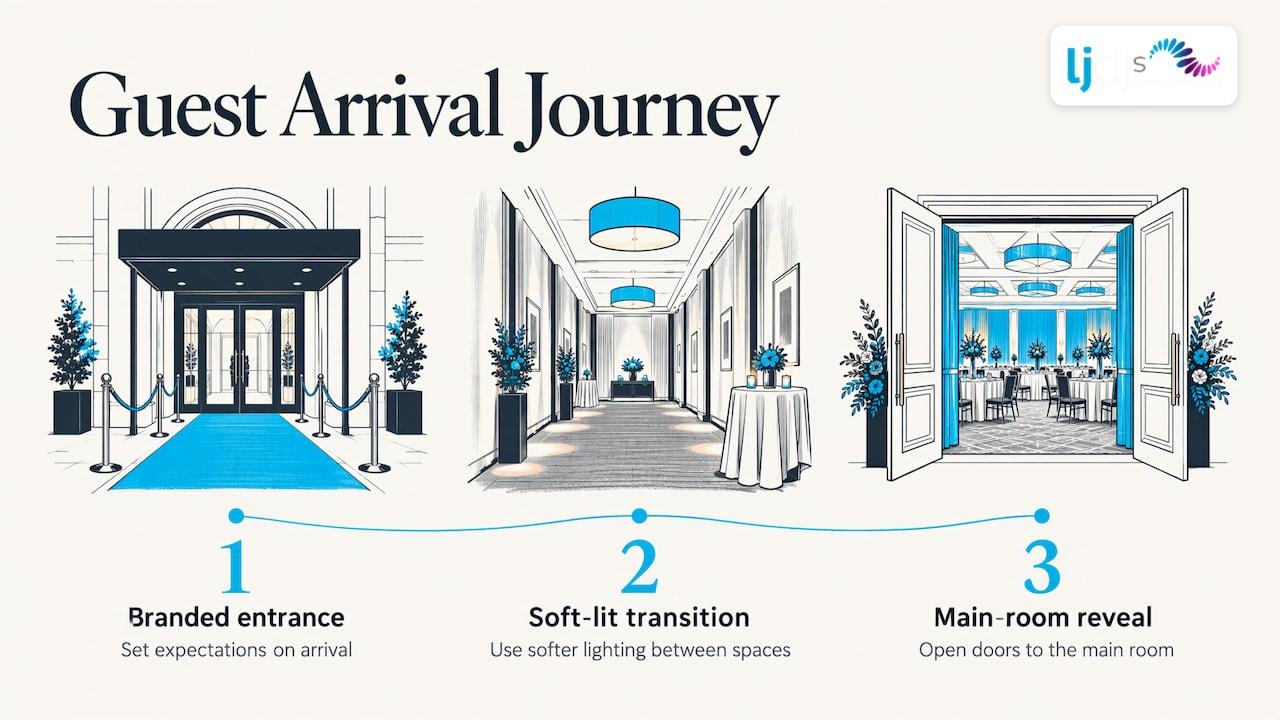
The arrival sets expectations. BizBash’s report on SAP Sapphire NOW (May 13, 2019) describes a graduated arrival: eye-level branding visible from arriving buses, immersive concourse elements, and LED curtains before guests reached the show floor. Each step built anticipation. You do not need that scale to borrow the idea. A hotel ballroom can still have a branded entrance moment, a transition space with softer lighting, and a reveal as the doors open to the main room.
The same report shows how large events help people find their way. SAP organized its show floor into five color-coded neighborhoods, each tied to a business discipline, with lighting and signage making destinations easy to find and experts staffing every area. Smaller events can use the same logic with colored zones for registration, networking, dining and demos.
Other lessons from that event worth noting: the Central Showcase used an air-travel theme, staff dressed as flight crew, concave information walls and an immersive LED environment across floors and curved walls. The theme was not decoration; it organized how staff dressed, how information was displayed and how guests moved.
Put interaction where people already pause
Interactive features work best when they connect to your message. In the SAP example, participants shot baskets while technology generated performance statistics and compared them with NBA professionals, which tied play to the business content.
Placement matters too. EventUploader’s 2026 engagement guide recommends placing photo booths near natural pause points such as entrances, bars or session transitions, delivering images immediately, and making live polls visibly influence the next decision in the room. The common thread is that guests should see their participation matter.
A useful design rule: one clear interactive moment per phase of the event (arrival, program, social time), rather than five competing activations in one corner.
Balance energy with reflection
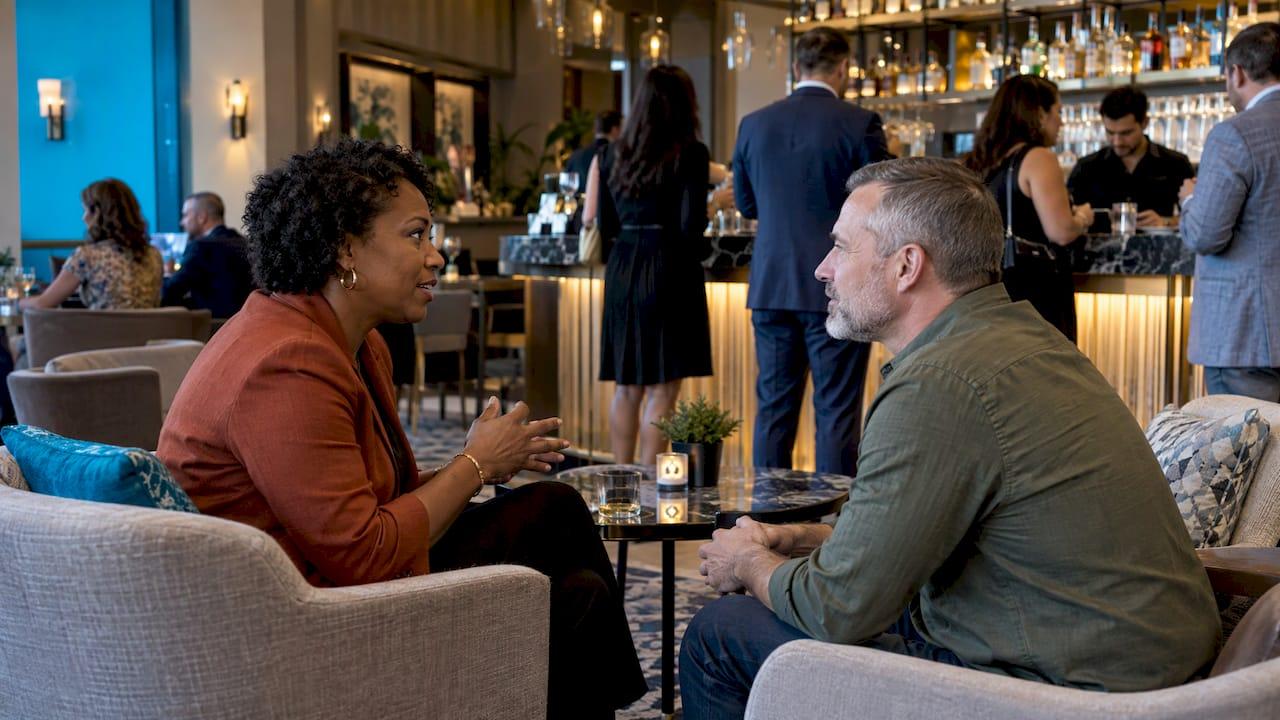
Chris Weinberg, founder and chief experience officer of Chris Weinberg Events, argues that effective events balance energy with reflection, use multisensory experiences thoughtfully, and create spaces that encourage belonging and authentic connection. In practice, that means quiet lounges next to the busy bar, a loud opening followed by a calmer dinner, and music that rises and falls with the agenda.
How lighting, signage, décor and interactive features work together
These four elements are often bought separately, which is why they sometimes fight each other. Plan them as a system.
| Element | Its job | What to coordinate |
|---|---|---|
| Lighting | Sets mood, directs attention, defines zones | Color temperature matched to brand colors, stage focus, camera needs |
| Signage | Orients guests and carries the brand | Placement at decision points, legibility under your lighting |
| Décor | Builds the physical world of the theme | Materials and textures that match positioning, scale to the room |
| Interactive features | Turn guests into participants | Location near natural pauses, power and data needs, link to your message |
Vectorworks’ guidance on modern corporate event design covers three production concerns that tie these together: lighting for focus and mood, audio coverage and intelligibility, and video placement, viewing angles and sightlines. These are the details that decide whether a design works for the person in the back row.
Lighting does more than most planners expect. Intelligent lighting can shift color through an agenda, uplighting can wash walls in brand colors, and projected logos or patterns can turn a plain room into a branded one. Event Marketer’s August 30, 2024 AV roundup points to moving graphics, LED striping, neon, projection and wearable LED technology as practical tools for visual storytelling and social-media-worthy moments. It also reports that Microsoft’s START Conference in Seattle used a SOAR theme, aerial performers, a lighted dance floor and hanging LED icicles so the opening reception’s production design reinforced the concept.
Use screens and visual media as storytelling tools
LED walls and screens are the most visible design tools at a modern corporate event. They can carry presentations, but their real value is atmosphere: animated brand environments before the program, live camera feeds during it, sponsor loops during networking, and a closing visual that guests remember.
Some organizations extend the same visual storytelling to their offices before the event, using screens to build awareness and drive registration. Digital signage for office event promotion is a useful way to keep the event’s look consistent from the invitation stage through the day itself.
When you plan screens, settle these early:
- Content: who creates it, in what format, and when it is due for testing.
- Placement and size: viewing angles and distance to the farthest seat.
- Role: is the screen a presentation tool, a design feature or both?
- Budget: hardware size and configuration drive cost. Our guide to LED video wall rental costs explains what shapes the price.
For a broader view of what sound, video and staging crews handle, see our overview of event audio visual services.
Plan for the venue, the audience and the budget
Design ideas succeed or fail on logistics. Vectorworks describes space planning as the backbone of corporate event design, and says detailed floor plans help you test seating layouts, capacity scenarios and circulation paths before anything is built. A floor plan will reveal that the stage is too close to the bar, or that the registration line blocks the entrance.
VistaPrint’s corporate event planning guide lists what to check on the venue side: capacity and layout, accessibility, parking and public transport, AV and Wi-Fi, catering and vendor rules, branding restrictions, sightlines, and load-in and setup. Ask these questions before you fall in love with a space:
- Can we hang, rig or project in this room, and who approves it?
- What are the power, data and ceiling-height limits?
- What time can vendors load in, and how long do we have to set up and test?
- Are there rules on outside vendors, sound levels or branding?
- Is the space accessible for every guest, including the stage and lounges?
On budget, the same guide suggests dividing spending across venue and catering, branding and signage, technology and AV, staffing and speakers, and a contingency line. The exact split depends on your event, but the habit of budgeting design, production and contingency as separate lines keeps the creative work from being squeezed at the end. If you want a closer look at how production scope relates to cost, read our guide to corporate event production.
A simple process from brief to show day
For most corporate events, design moves through the same stages:
- Brief: goal, audience, guest count, date, venue options, budget range.
- Concept: the story, the look, the key moments and the entertainment tone.
- Layout and technical plan: floor plan, lighting and AV plot, content list, run of show.
- Production: fabrication, content creation, vendor confirmation, rehearsals.
- Load-in and test: build, sound check, lighting cues, content playback, staff briefing.
- Show and capture: run the program and document it with photo and video.
- Debrief: compare results with the original goal.
Bringing entertainment and production in at the concept stage, rather than after the venue and décor are locked, gives the team room to build music, lighting and screens into the story. If your event is in the New York area, our guide on choosing corporate event entertainment in New York covers the entertainment side in more detail.
Our perspective: design and entertainment belong together
We have spent more than two decades producing celebrations and corporate functions, and the pattern we see is simple: the events people remember are the ones where design and entertainment were planned as one thing.
A DJ booth should not be an afterthought placed in a corner. At LJDJS, we build the booth into the look of the room, with options like our Piano DJ Booth and Chandelier DJ Booth. Lighting is not just brightness. Intelligent and wireless lighting, monogram projection and LED video walls let a room change character as the program moves from reception to presentation to celebration.
We also believe in tailoring. Our approach is to reflect each client’s style and culture, which is why we offer bilingual and international DJs and MCs, live musicians and specialty acts that can match the audience in the room. Crowd motivators and photo booths, including video testimonial booths, give guests ways to take part, and in-house photography and videography document it afterward.
When one team coordinates the look, the sound, the screens and the entertainment, the handoffs disappear. That is what we mean by seamless, and it is what we aim to deliver on every event.
LJDJS
Design and entertainment from one team
If you are planning a corporate event in New Jersey, New York or beyond, we can help you turn the ideas above into a working plan. LJDJS offers customized DJ booths, LED video walls, intelligent and wireless lighting, monogram projection, photo booths, live musicians, specialty acts, and in-house photography and videography, all coordinated around your brand and your audience.
Explore our event production services or visit LJDJS to start the conversation about your event.
FAQ
What is corporate event design?
Corporate event design is the planning of the space, branding, lighting, visuals, programming and entertainment so they work together toward a business goal. It goes beyond décor to include how guests move through the event and what they do there. A good design makes the brand story felt in every touchpoint.
How do I make a corporate event reflect my brand?
Start from your existing brand guidelines and apply them to every element: signage, lighting color, staff styling, menus, screens and music. Choose materials and textures that match your positioning, such as rich metallics for a luxury brand or natural textures for a sustainability brand. Repeat one theme throughout so guests feel a single coherent experience.
When should I bring in production and entertainment partners?
As early as the concept stage, ideally before the venue and décor are finalized. Lighting, screens, sound and music affect the floor plan, rigging needs and budget. Early involvement lets the team build them into the story instead of fitting them around decisions already made.
What should I check about the venue before designing?
Confirm capacity and layout, accessibility, AV and Wi-Fi, power, rigging and ceiling limits, vendor and branding rules, sightlines, and load-in and setup times. Build a floor plan to test seating and circulation. These checks prevent design ideas that cannot be executed in the room.
Sources
- IBM Event Design Foundation
- Eventbrite: Event Design
- PCMA: Design a Story, Not a Schedule
- Special Events, Fall 2022
- BizBash: SAP Sapphire NOW floorplan strategy
- EventUploader: Event Engagement Strategies
- The Meeting Magazines: Engaging & Energizing Today’s Attendees
- Event Marketer: 10 A/V Ideas
- Vectorworks: Modern Corporate Event Design
- VistaPrint: Corporate Event Planning Guide