Event technology rental means hiring the equipment that makes an event work and feel alive: LED video walls, screens, lighting, sound, photo and video booths, and the people who run them. For a wedding, a corporate night or a milestone party, the best result comes from renting technology as part of one design, with one team that runs it on the night. We build events that way at LJDJS: the DJ booth, the video wall, the lighting and the cameras are planned together, so nothing arrives as a box that someone else has to figure out.
This guide is for couples, families, corporate hosts and event planners who are booking technology for a celebration or a company event. It covers what you can rent, how to plan delivery and support, and how to avoid the problems that show up live.
TL;DR
- Event technology is more than screens and cables: it includes video walls, lighting, sound, DJ booths, photo and video booths, and guest-facing apps.
- Plan technology around your venue, your schedule and your program, not around a list of gear.
- Delivery, setup, takedown, on-site technical support and a backup plan matter as much as the equipment itself.
- A single team that designs the event and operates the technology removes the hand-offs where things go wrong.
- To get a plan for your date, talk to LJDJS about your event.
Table of Contents
- What counts as event technology
- Rent equipment or book a designed experience?
- Match the technology to the event
- Plan delivery, setup and support first
- Check the venue before you choose gear
- Do a dry run
- What affects the price of technology
- Our perspective
- Book technology as part of your event
- FAQ
- Sources
What counts as event technology
Search for this topic and you will mostly find companies that ship tablets, laptops and check-in kiosks to conferences. That is one slice of the field. For weddings, milestone celebrations and corporate galas, the technology guests actually notice is different: what they see, hear and take home.
The National Association for Catering and Events keeps a resource list that shows how wide the category is. It includes event apps (some built specifically for weddings), AI chatbots, Bluetooth beacon analytics, photo-sharing apps and social-media display tools. Those are the digital layer, mostly useful for guest communication and engagement.
The physical layer is what we spend most of our time on:
- Video walls and LED screens for live feeds, slideshows, sponsor loops, tributes and dance-floor visuals.
- Lighting: wireless uplighting to color a room, intelligent lighting that moves with the music, and monogram projection that puts a name or logo on a floor or wall.
- DJ and sound: the booth, the sound system and the MC who runs the program.
- Guest experience tools: classic and video testimonial photo booths, crowd motivators, RFID bands and similar add-ons.
- Effects: indoor cold sparklers and an indoor snow effect for key moments.
- Capture: photography and videography.
If you are comparing quotes, make sure every vendor means the same thing by “technology.” One quote may cover a screen and a laptop. Another may cover the screen, the content, the operator and the lighting around it. They are not the same product.
Rent equipment or book a designed experience?
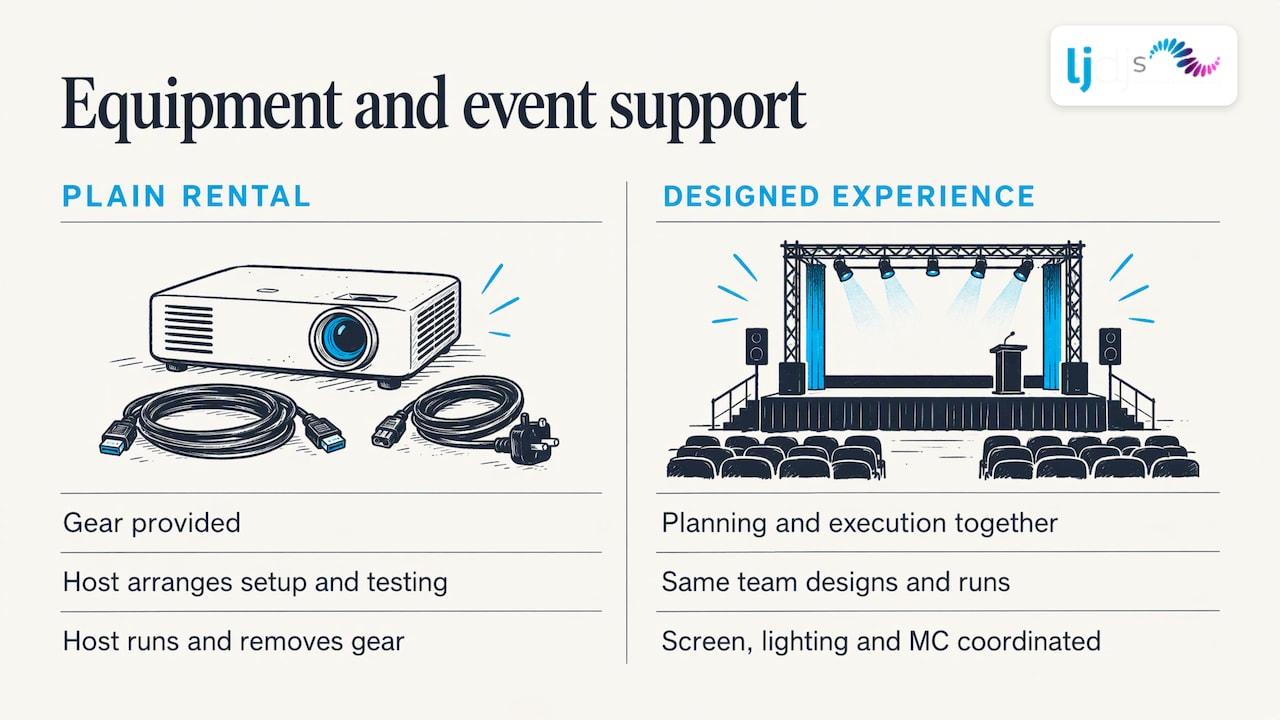
A plain rental gives you gear. Someone still has to decide where it goes, build the content, test it, run it during the event and take it down. At a conference with an in-house AV crew, that can work. At a wedding or a milestone party, the host is usually the person least able to troubleshoot a screen at 8:40 p.m.
That is why we do not think of technology as a separate line item. Our work covers event design and entertainment together, from planning through execution, and the production tools sit inside that plan: the custom LED video wall, lighting, the Piano DJ Booth and Chandelier DJ Booth, photography and videography. When the same team designs the room and runs the show, the screen content matches the lighting, the lighting matches the music, and the MC knows when the video plays.
The question to ask any provider is simple: who operates this during my event, and who do I call if something changes?
Match the technology to the event
Weddings
Weddings use technology to shape the mood. Uplighting and monogram projection change how the room looks in photos. A video wall can show a photo story during cocktail hour and live camera feeds during toasts. A DJ booth can double as a design feature: our Piano DJ Booth and Chandelier DJ Booth are built to be part of the room, not equipment pushed into a corner. See how this fits a full program on our wedding entertainment page, and read about monogram and gobo lighting placement before you pick a design.
Ceremony sound deserves its own thought. Our guide to wedding ceremony music covers order and timing, which determine where microphones and speakers need to be.
Corporate events
Corporate hosts usually need three things: a program that runs on time, content that is legible from the back row, and an experience attendees talk about afterward. Screens carry presentations and sponsor messages. Lighting brands the room. A video testimonial booth turns attendees into content: our guide to the video testimonial booth explains how it works. For planners, our corporate event design guide and our overview of event audio visual services show what to specify and how to book.
If part of your audience is remote, virtual event production adds cameras, switching and streaming to the in-room plan. Prizes can lift participation online too: gamified prizes for virtual engagement is one way to structure rewards in tiers so attendees keep taking part.
Milestone celebrations
Sweet 16s, Quinceañeras and Bar/Bat Mitzvahs are built around moments: an entrance, a candle ceremony, a dance, a tribute video. Technology exists to make those moments land. Cold sparklers, snow effects, crowd motivators and a screen showing the honoree’s story all serve the schedule. We produce these with bilingual and international DJs and MCs, so the program can run in the languages and cultural traditions your family uses. Our pages for Sweet 16 and Quinceañera and Bar/Bat Mitzvah production show how that works.
Plan delivery, setup and support first
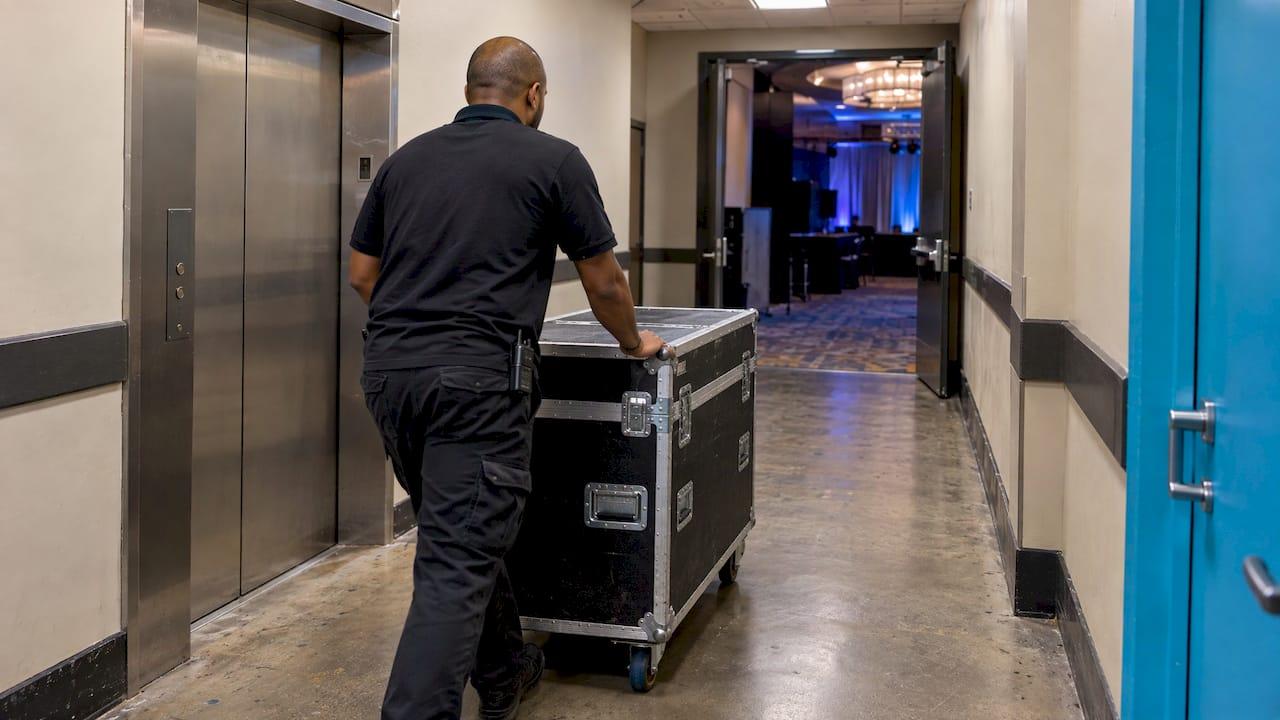
Most technology problems at events are logistics problems. The gear is fine, but it arrived late, did not fit the load-in path, had nowhere to plug in, or nobody was assigned to it once the doors opened.
A rental best-practices article from WowTechHub lists the points worth confirming with any provider: experience with your type of event, on-site technicians, delivery, setup and takedown logistics, and backup inventory. It also recommends documented emergency contacts for the day.
Turn that into questions you can put to any provider:
- Who delivers, who sets up and who removes the equipment, and at what times?
- Is a technician on site for the whole event, or only at setup?
- What happens if a screen, microphone or light fails mid-event?
- Who is my single point of contact on the day?
- Who creates and loads the content, and by what deadline?
A rental company that ships boxes can answer the first question and little else. A production team that stays through your event can answer all five.
Check the venue before you choose gear
The right technology depends on the room. Before you lock in any screen, light or booth, gather these facts from your venue, in writing where you can:
- Load-in access: doors, elevators, stairs, loading dock hours and any union or building rules for vendors.
- Power: how many outlets and circuits are available, and where. Video walls, intelligent lighting and sound systems all draw power.
- Ceiling height and rigging: this limits where lighting can hang and how tall a screen can be.
- Sightlines: where guests sit, where the dance floor is, and which walls are best for projection or a screen.
- Ambient light: large windows and bright rooms wash out screens and projected monograms.
- Timeline: how early your team may enter and how late the room must be cleared.
- Internet: if anything is streamed or app-based, ask what connectivity the venue provides.
Share the floor plan with your production team early. In our experience as designers, the best technology decisions are the ones made with a floor plan in hand rather than a catalog. A venue walk-through, in person or by video, settles most of these questions in an hour.
Do a dry run
The same WowTechHub piece recommends a technical dry run before the event: testing slide transitions, camera feeds, microphones and lighting. Its reasoning is practical. A rehearsal surfaces configuration mistakes, power distribution issues and microphone feedback before guests are in the room.
Here is what that looks like in practice:
- Weddings: confirm the ceremony microphone, the first-dance lighting cue and any video played during toasts.
- Corporate events: run every presentation file on the actual screen, check aspect ratios and test the order of speakers.
- Milestone parties: rehearse entrances and special effects with the person cueing them, so the lights, music and video start together.
Send final files, names, pronunciations and music requests well ahead. Content is the most common last-minute change and the easiest to prevent.
What affects the price of technology
We do not publish set prices, because every event is designed to the client’s style and room. What we can tell you is what moves a quote, whoever you hire:
- Size and quantity: a larger video wall, more lights or more booths cost more.
- Labor: operators, technicians and the hours they are on site.
- Design and content: custom visuals, monograms and tribute videos take creative time.
- Venue conditions: difficult load-ins, rigging or extra power needs add work.
- Event length and date: longer programs and peak-season dates take more of the team.
When you compare quotes, compare what is included. A low number that leaves out the operator, the content or the on-site support is not a lower price for the same thing. WowTechHub’s guidance makes a similar point: it cautions against choosing the lowest bidder, since reliability and professionalism often justify a higher cost. For a worked look at one major item, read our LED video wall rental cost guide.
Our perspective
We have spent more than 25 years designing celebrations, and the pattern is consistent: guests do not remember equipment. They remember how the room felt and whether the night flowed.
That is why we do not treat technology as something you rent and then manage. A video wall only works when its content fits the program. Lighting only works when it follows the room and the music. A DJ booth only works when it belongs in the design. We plan these together, for the style and culture of each client, and our team runs them from setup to the last song.
It is also why we build things like the Piano DJ Booth and our custom LED video wall into our own offering, alongside bilingual and international DJs, MCs, specialty acts, photography and videography. One team, one plan and one person to call means you can enjoy your own event.
LJDJS
Book technology as part of your event
If you are renting technology for a wedding, corporate function or milestone celebration, we can plan it with you as part of the full design: screens, lighting, DJ booth, effects, booths and capture, with entertainment that reflects your style and culture. We serve clients in New Jersey and New York and offer services globally.
Tell us your date, venue and the moments you want to make unforgettable, and we will build the technology around them.
Start planning your event with LJDJS
FAQ
What are some examples of event technology?
Common examples include LED video walls, screens, intelligent and wireless lighting, monogram projection, sound systems, photo and video booths, and guest-facing apps. NACE’s event tech list also includes photo-sharing apps, chatbots and social media displays. Which ones matter depends on whether you are hosting a wedding, a company event or a family milestone.
Should I rent equipment or hire a team that runs it?
For a celebration, a team that designs, sets up and operates the technology is the stronger choice, because someone is responsible for the result during the event. That is how we work: technology is part of the event design and is run by the same team that handles your entertainment.
What should I confirm before booking event technology?
Confirm delivery and setup times, whether a technician stays on site, the backup plan if something fails, who handles content, and your venue’s power, load-in and ceiling limits. Then schedule a dry run before the event so problems appear while there is still time to fix them.
How far ahead should I plan technology?
Start when you have a date and a venue, since the room determines what is possible. Bring the venue’s details and your program to your first conversation, and finalize content files well before the event.
Sources
- Event Tech Resources, National Association for Catering and Events
- What are the best practices for renting tech for events? WowTechHub